 VisvoAI CLI Docs
Why this one
The operating system enforces the rules, not the prompt
The operating system enforces the rules, not the prompt. Every shell
command goes through classify_command() — a conservative text classifier
that sorts commands into read or write by verb and flag (ls, cat,
rg, git status/log/diff → read; anything unrecognized → write). That
classifier can be fooled. It doesn't matter: everything it calls read
still runs inside a kernel-level, deny-writes sandbox —
sandbox-exec
on macOS, bwrap (bubblewrap)
on Linux. The seatbelt profile is (deny file-write*) with narrow exceptions
for /dev/null, /dev/stdout, /dev/stderr, and /dev/tty so redirect
plumbing still works. A disguised write that slips past the classifier doesn't become a
silent mutation — it becomes EPERM.
That gives the system exactly two failure modes, and only one of them matters:
- Misclassify a write as read → no prompt, but the sandbox blocks it — loud error, zero files touched.
- Misclassify a read as write → one unnecessary approval prompt.
Where the sandbox isn't available, this guarantee weakens — knowingly.
sandbox_argv() returns a sandboxed argv only on macOS with sandbox-exec
or Linux with bwrap installed. Anywhere else (Windows, a minimal container
without bubblewrap) there is no sandbox to fall back on, and read-classified
commands run unsandboxed on the classifier's judgement alone. The two-failure-
mode guarantee above holds only on a platform where the sandbox is present;
install bubblewrap on Linux if it isn't already.
Writes (edit_file, write_file, any shell command classified write)
always route through the approval gate — unless you've raised the mode (see
below), or pre-authorized the exact operation in config.
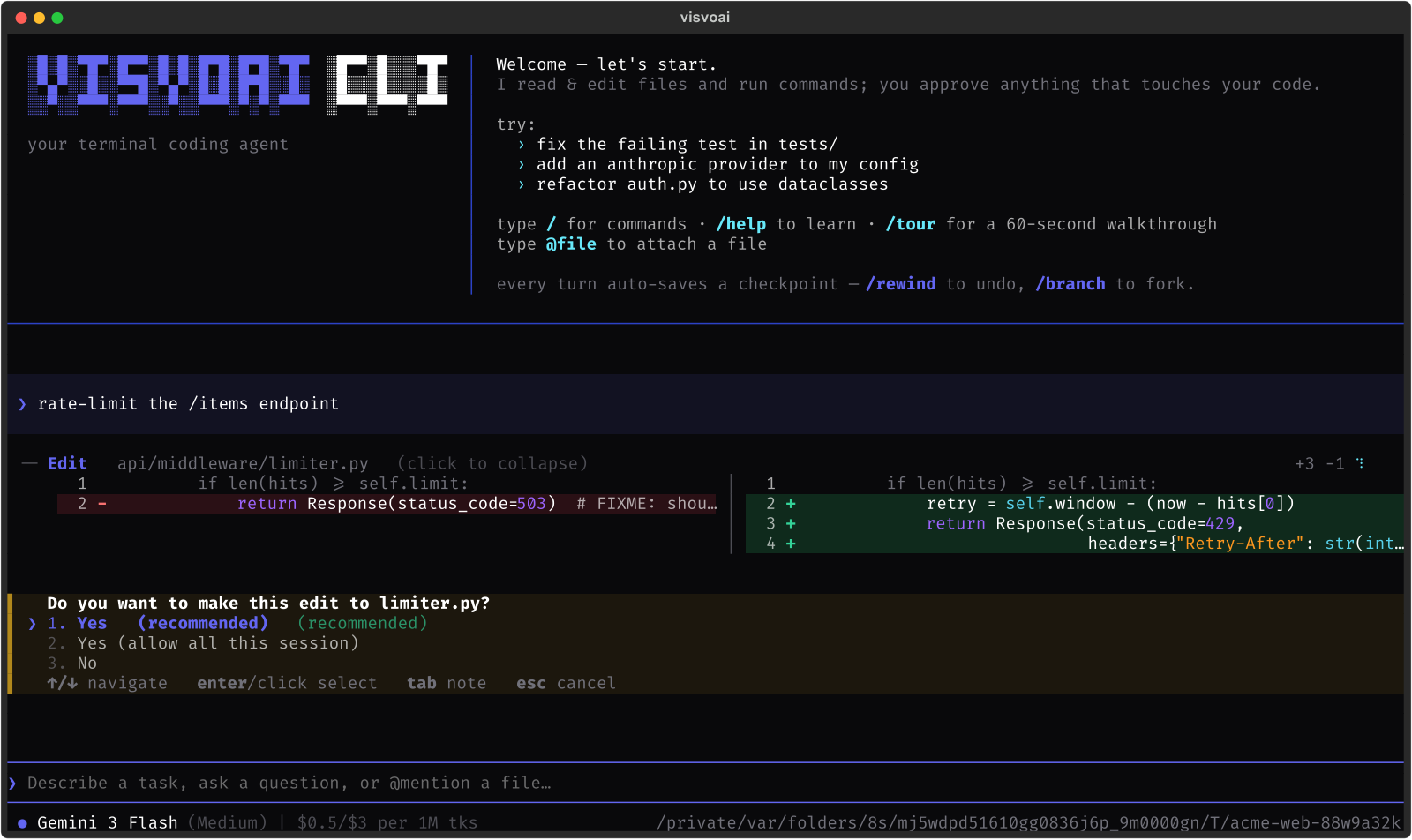
Path confinement is separate from approval
write_file / edit_file don't just ask permission — the target path is
resolved through confine() before anything happens. Symlinks and .. are
resolved first (os.path.realpath), then the canonical path must fall
inside an allowed root (the launch directory by default, plus anything you
add), and it must not touch .git internals. This check runs regardless of
approval mode — accept-all cannot write outside the allowed roots. A
mode changes when you're asked; it never changes what's reachable.
# <project>/.visvoai/config.toml
[permissions]
write_roots = ["../sibling-lib", "/abs/shared"]   # relative entries anchor to cwd
Three approval modes — Shift+Tab cycles them
| Mode | Behavior |
|---|---|
normal | ask before every edit and every write-classified shell command |
auto-edit | file edits (edit_file/write_file) run unattended; shell still asks |
accept-all | everything auto-approves |
Modes are session-only — every launch resets to normal — and relax
approval, never confinement or the OS sandbox.
Pre-authorize known-safe operations
A project can list exact operations that should never prompt, so a headless
run can proceed without --yes and an interactive one has less friction for
its known-safe loop:
[permissions]
allow_shell = ["git status", "git diff", "ls", "pytest"]   # command prefixes
allow_write = ["*.md", "docs/**", "notes/*.txt"]           # path globs
Shell rules are conservative prefix matches ("git status" allows
git status -s, never git push); write rules are fnmatch globs against
the path a tool was given. No matching rule → no auto-allow → the gate asks,
same as always.
Nothing from a downloaded repo turns itself on
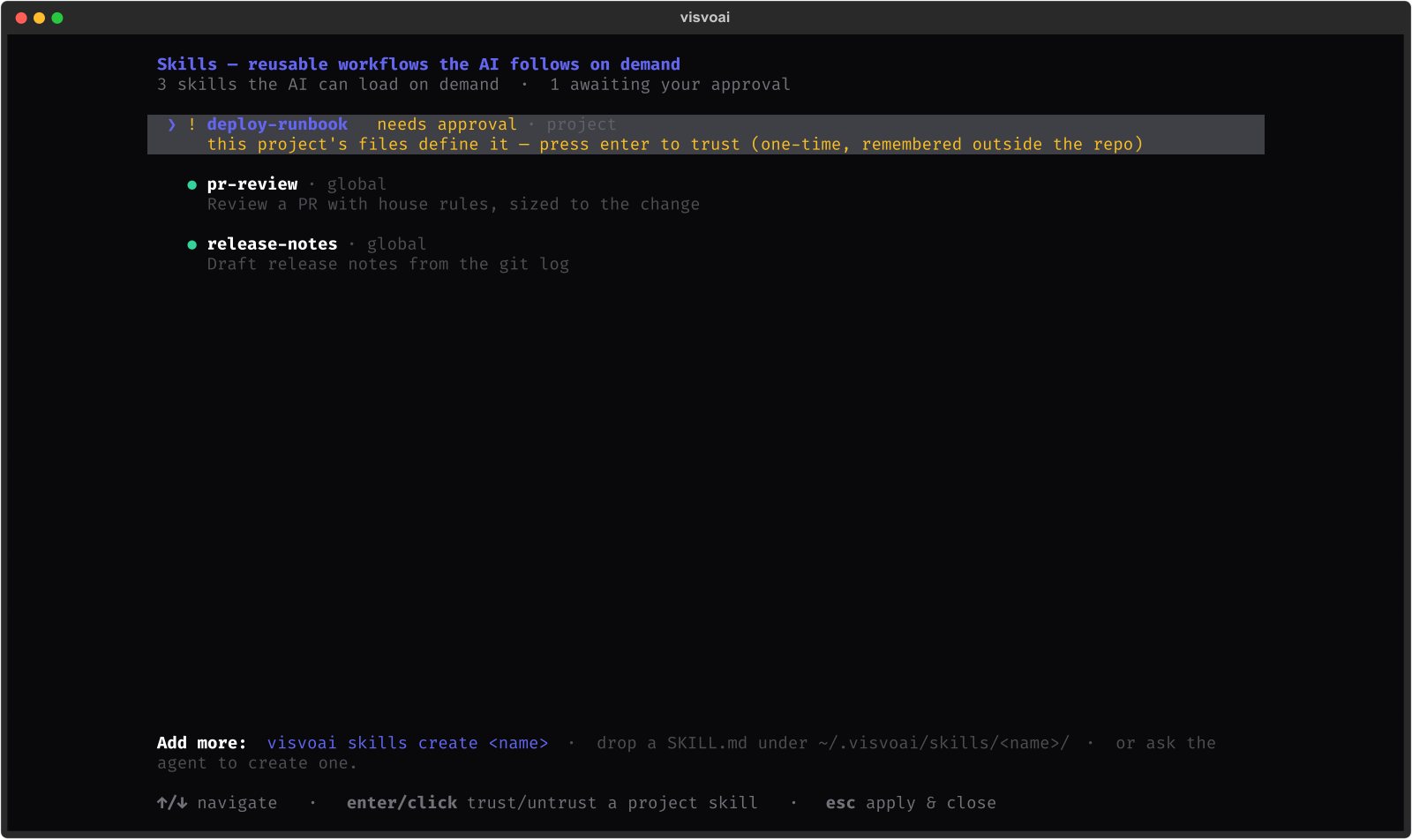
A repo can define its own agents (.visvoai/agents/*.md), skills, and MCP
servers — each one is either a prompt that steers tool use on your machine,
or a subprocess spec. All three get the same treatment: one-time approval,
recorded outside the repo as a SHA-256 hash of the full definition
(~/.visvoai/projects/<project-id>/{agent,skill,mcp}_trust.toml). Edit the
file later — even one character — and the hash changes, so you're asked
again. Anything you define yourself under ~/.visvoai/ is implicitly
trusted; it's yours. Cloning a repo can never silently hand it capability.
Undo that includes your files, not just the transcript
Every tool batch is checkpointed as a shadow git commit right before it
runs (while the tree is quiescent, so parallel tool calls never race each
other for the snapshot), mapped to a message index. /rewind takes you back to an earlier point and lets you choose what
travels — code, conversation, or both; /branch keeps
multiple saved timelines of the same chat; /fork opens a past checkpoint
in a brand-new directory so you can try two directions in parallel without
losing either. See Time-travel for the full model.